
spec-kit 설치 및 사용법
13 Jun 2026 | claudeGitHub spec-kit
GitHub에서 만든 AI 기반 코딩을 위한 명세(Specification) 기반 개발을 할 수 있게 해주는 도구
설치 방법
# uv 설치
$ curl -LsSf https://astral.sh/uv/install.sh | sh

# spec-kit 설치
$ uv tool install specify-cli --from git+https://github.com/github/spec-kit.git

# 설치 확인
$ specify --version

specify 0.10.3.dev0

# 시스템 요구사항 체크
$ specify check

GitHub Spec Kit - Spec-Driven Development Toolkit

Checking for installed tools...

Check Available Tools
├── ● Antigravity (available)
├── ● Amp (not found)
├── ● Auggie CLI (not found)
├── ○ IBM Bob (IDE-based, no CLI check)
├── ● Claude Code (available)
├── ○ Cline (IDE-based, no CLI check)
├── ● CodeBuddy (not found)
├── ● Codex CLI (not found)
├── ○ GitHub Copilot (IDE-based, no CLI check)
├── ○ Cursor (IDE-based, no CLI check)
├── ● Devin for Terminal (not found)
├── ● Forge (not found)
├── ● Gemini CLI (not found)
├── ● Goose (not found)
├── ● Hermes Agent (not found)
├── ● iFlow CLI (not found)
├── ● Junie (not found)
├── ○ Kilo Code (IDE-based, no CLI check)
├── ● Kimi Code (not found)
├── ● Kiro CLI (not found)
├── ○ Lingma (IDE-based, no CLI check)
├── ● opencode (not found)
├── ● Pi Coding Agent (not found)
├── ● Qoder CLI (not found)
├── ● Qwen Code (not found)
├── ○ Roo Code (IDE-based, no CLI check)
├── ● RovoDev ACLI (not found)
├── ● SHAI (not found)
├── ● Tabnine CLI (not found)
├── ○ Trae (IDE-based, no CLI check)
├── ● Mistral Vibe (not found)
├── ○ Windsurf (IDE-based, no CLI check)
├── ● Visual Studio Code (available)
└── ● Visual Studio Code Insiders (not found)

Specify CLI is ready to use!
프로젝트 시작하기
$ specify init snowdeer-sample-project
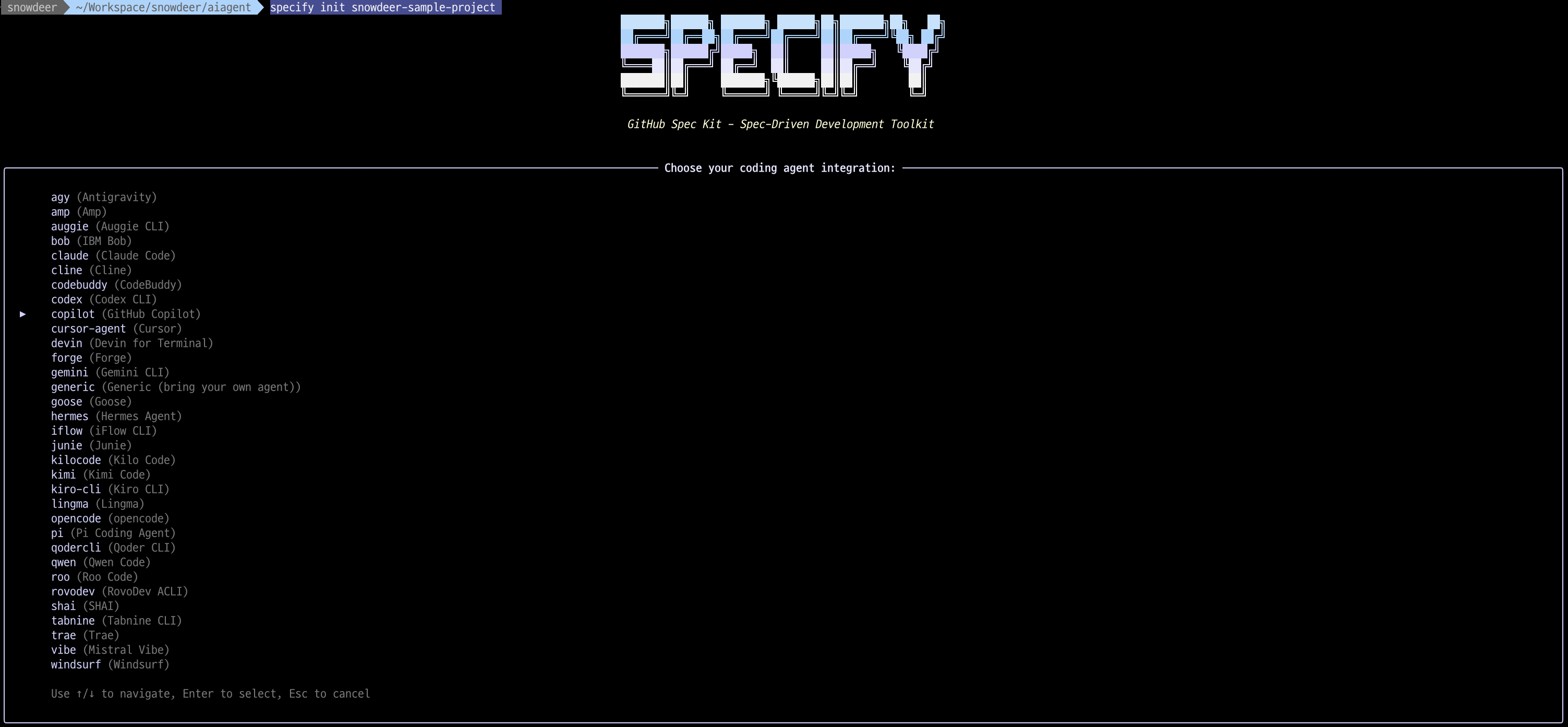
AI 모델을 선택할 수 있음
여기서는 claude 선택
그 이후 sh (POSIX Shell (bash/zsh)) 선택
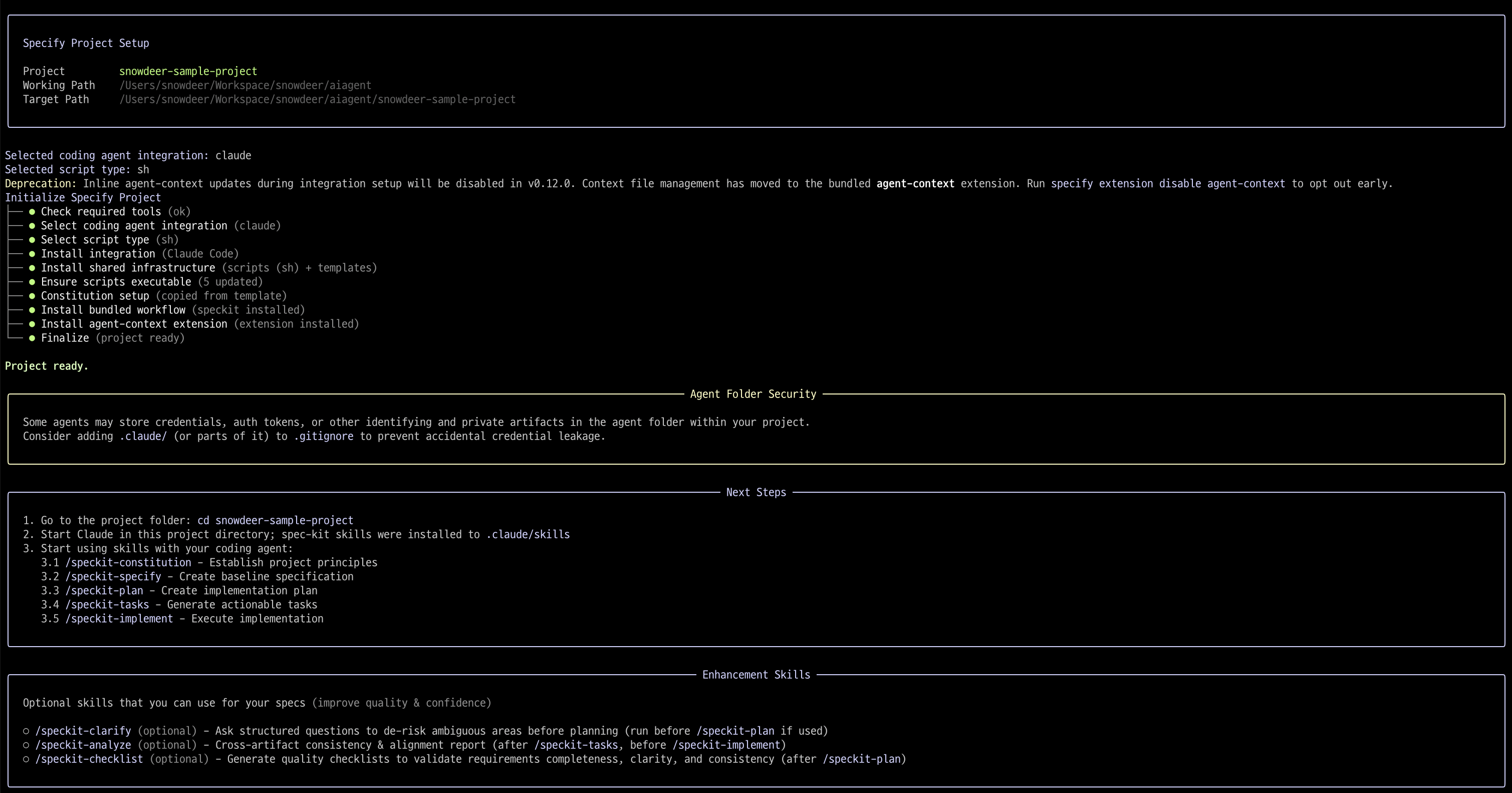
그 이후 해당 디렉토리에 가면 아래와 같은 문서들이 생긴 것을 확인할 수 있음
.
├── .claude
│   └── skills
│       ├── speckit-agent-context-update
│       │   └── SKILL.md
│       ├── speckit-analyze
│       │   └── SKILL.md
│       ├── speckit-checklist
│       │   └── SKILL.md
│       ├── speckit-clarify
│       │   └── SKILL.md
│       ├── speckit-constitution
│       │   └── SKILL.md
│       ├── speckit-implement
│       │   └── SKILL.md
│       ├── speckit-plan
│       │   └── SKILL.md
│       ├── speckit-specify
│       │   └── SKILL.md
│       ├── speckit-tasks
│       │   └── SKILL.md
│       └── speckit-taskstoissues
│           └── SKILL.md
├── .specify
│   ├── extensions
│   │   ├── .registry
│   │   └── agent-context
│   │       ├── agent-context-config.yml
│   │       ├── commands
│   │       │   └── speckit.agent-context.update.md
│   │       ├── extension.yml
│   │       ├── README.md
│   │       └── scripts
│   │           ├── bash
│   │           │   └── update-agent-context.sh
│   │           └── powershell
│   │               └── update-agent-context.ps1
│   ├── extensions.yml
│   ├── init-options.json
│   ├── integration.json
│   ├── integrations
│   │   ├── claude.manifest.json
│   │   └── speckit.manifest.json
│   ├── memory
│   │   └── constitution.md
│   ├── scripts
│   │   └── bash
│   │       ├── check-prerequisites.sh
│   │       ├── common.sh
│   │       ├── create-new-feature.sh
│   │       ├── setup-plan.sh
│   │       └── setup-tasks.sh
│   ├── templates
│   │   ├── checklist-template.md
│   │   ├── constitution-template.md
│   │   ├── plan-template.md
│   │   ├── spec-template.md
│   │   └── tasks-template.md
│   └── workflows
│       ├── speckit
│       │   └── workflow.yml
│       └── workflow-registry.json
└── CLAUDE.md
또는 해당 디렉토리 들어가서 아래 명령어로 시작
specify init .